Apple released the new 13 “and 15” to their MacBook Pro lineup. Many apple fans were hoping for a thicker chasis design to combat overheating issues. Apple, however, decided to keep the sleek and thin design of the last few MacBook pro models.
A key new feature is an 8-core processor on the higher end 15” models. They also claim to have changed the inner-working of their keyboard design to make the keys more durable and less prone to double letter type and stuck keys.

Configurations
The 13” processors configurations are :
13-inch model without Touch Bar
-
- 2.3GHz dual-core Intel Core i5, Turbo Boost up to 3.6GHz, with 64MB of eDRAM Configurable to 2.5GHz dual-core Intel Core i7, Turbo Boost up to 4.0GHz, with 64MB of eDRAM
13-inch model with Touch Bar
-
- 2.4GHz quad-core Intel Core i5, Turbo Boost up to 4.1GHz, with 128MB of eDRAM Configurable to 2.8GHz quad-core Intel Core i7, Turbo Boost up to 4.7GHz, with 128MB of eDRAM
- The highest-end new processors can turbo boost up to 4.7 gigahertz.
You can additionally configure the MacBook 13 “ pro with:
-
- 2.5GHz dual-core Intel Core i7, Turbo Boost up to 4.0GHz, with 64MB of eDRAM
- 16GB of 2133 MHz LPDDR3 memory
- 256GB, 512GB, or 1TB SSD 13-inch model with Touch Bar
- 2.8GHz quad-core Intel Core i7, Turbo Boost up to 4.7GHz, with 128MB of eDRAM
- 16GB of 2133 MHz LPDDR3 memory
The 15” processors configurations are :
-
- 2.6GHz
- 2.6GHz 6-core Intel Core i7, Turbo Boost up to 4.5GHz, with 12MB shared L3 cache
- Configurable to 2.4GHz 8-core Intel Core i9, Turbo Boost up to 5.0GHz, with 16MB shared L3 cache
- 2.3GHz
- 2.3GHz 8-core Intel Core i9, Turbo Boost up to 4.8GHz, with 16MB shared L3 cache
- Configurable to 2.4GHz 8-core Intel Core i9, Turbo Boost up to 5.0GHz, with 16MB shared L3 cache
You can also configure the MacBook 15 “ pro with:
-
- 2.4GHz 8-core Intel Core i9, Turbo Boost up to 5.0GHz, with 16MB shared L3 cache
- 32GB of 2400 MHz DDR4 memory
- Radeon Pro 560X with 4GB of GDDR5 memory
- Radeon Pro Vega 16 with 4GB of HBM2 memory
- Radeon Pro Vega 20 with 4GB of HBM2 memory
- 512GB, 1TB, 2TB, or 4TB SSD
-
- 512GB, 1TB, or 2TB SSD
-
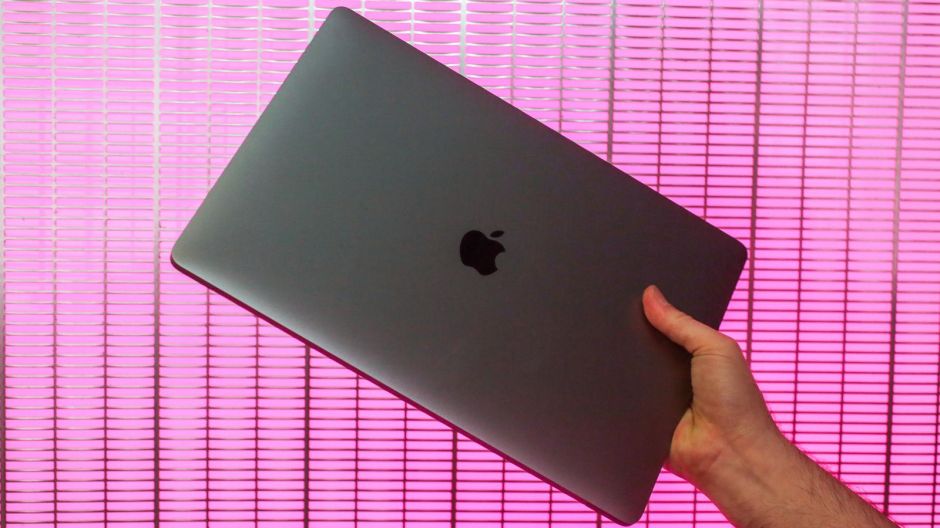
Cnet image
The 13” MacBook Pro obtained a Geek Benchmark of 4992 at single core and 18283 at multicore. The Machines Cinabench CPU score was 1779. The 15-inch model obtained a Geek Bench score of 5310 for single-core and a score of 28383 for multi-core.
Apple-insider ran a test using 5 minutes of 4k 8.26 footage with color correction with adjusting saturation and contrast and got an exported file in 2 minutes and 10 seconds. While performing the same rendering with background rendering off, they obtained an exported file in 9 minutes and 8 seconds.
2019 keyboard and mouse is louder than the 2018 model and some think the feel of the keys is firmer.
As usual, the 15” models can be configured to have up to 32 gigabytes ram with 2400 MHz DD4 onboard memory. The 13inch models can be configured up to 16 gigabytes of ram with 2133 MHz DD4 onboard memory.
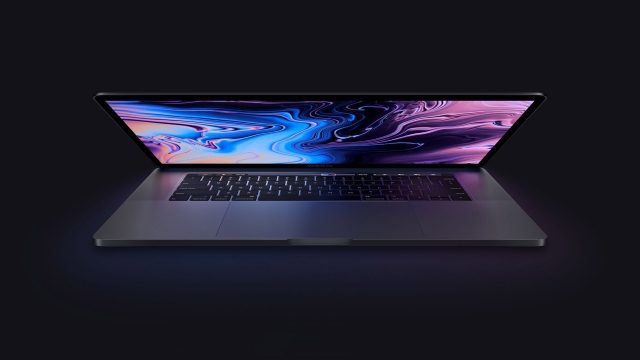
We also get the usual 256-gigabyte solid state drive configurable to up to 4 terabytes.
Both the 13” and the 15″ inch also come with the expected 4 USB C Thunderbolt 3.0 ports and the single headphone jack.
A concern with the new processors is overheating. This does not have to do with the chips used in the machines. The cause is the thin chasis of the MacBook Pro. The thin form factor means more heat will be generated faster under intense workloads.
So, the question all Apple fans had is would the new Macbook Pro thermal throttler. Suprisingly, according to Apple Insider, it maintained its speed without a problem. Apple insider’s Andrew O’Hara concluded this after running Cinebench tests back-to-back-to-back. “It kept a speed of 3Ghz. Well above the advertised clockspeed of this machine.” said Andrew O’Hara from Apple Insider.
Apple claims they fixed the problems with the last few iterations of the keyboards on the MacBook Pros. This new fix apparently comes from the implementation of new nylon plastic. Hopefully, the new plastic provides better sealant from dust and degree than the previous few previous generations had.
Louis Rossman’s, a MacBoard repairman, Mac-repair shop owner and YouTube star, criticism of the new MacBook Pro models is that 52 volts will go straight to the CPU if there is any corrosion or humidity on the board.
Getting moisture or corrosion on a motherboard is likely if you are working in a humid environment. Liquid or moister often enters through the screen crevice area. 52 volts or more will likely fry the board.
When a MacBook Pro motherboard board is fried, very few Apple authorized repair shops will be willing to repair the mac. Many will claim they can, but often will not. Most will charge you a little over a hundred dollars for a diagnostic only to tell you it is too expensive to fix. Part of the reason for the claim is Apple hardware parts are proprietary.
Since Apple parts are proprietary, Apple can charge what they want for these parts. You could go to eBay to find a better deal, however, unless you are purchasing from an authorized retailer, such as iFixit, the possibility of it being the right part or working is a gamble.
Often, only a nonauthorized repair shop will even be willing to look at to MacBook pros and going to a non-Apple authorized repair shop will often void the warranty on machines.
Another problem with the newer models is soldered-on solid state drives. This means it is impossible to upgrade the onboard hard drive space. This may not be a deciding factor for many because all one has to do is purchase and external storage device or work with a cloud-based storage service.
 Incidental Transmission